

Most PC owners rely on the pre-installed default video player without realizing how much visual fidelity and audio depth they are sacrificing every day. From cryptic "codec missing" alerts to dropped frames during 4K streaming, standard media utilities often fail modern content standards.
When you sit down to watch a downloaded presentation, a 4K film, or a camera recording, you expect instant, glitch-free reproduction. A specialized media engine like KMPlayer 64X solves these frustrations by embedding hundreds of internal codecs directly into its rendering core—completely eliminating external codec downloads or third-party conversion utilities.
Why Built-in Codec Architecture Matters:
- Zero Configuration: Open obscure formats (.mkv, .webm, .ts, .flv) instantly upon installation.
- GPU Hardware Acceleration: Drastically cuts CPU usage using DXVA2, Intel QSV, and NVIDIA NVDEC.
- HDR to SDR Auto-Tone Mapping: Displays rich cinematic contrast even on non-HDR computer monitors.
- Ultra-Low Latency Subtitles: Microsecond synchronization with complete typography formatting.
The Modern Dilemma: Why Stock Players Struggle
Default operating system media tools are designed as lightweight baseline viewers. To keep their footprint small, manufacturers omit proprietary audio decoders and licensing for advanced video profiles like HEVC 10-bit or high-tier audio formats. As high-definition 4K and 8K capture becomes standard on smartphones and cameras, standard players frequently stutter, lose audio synchronization, or outright refuse to open the file.
"Upgrading to an advanced media player is like replacing an old monitor cable with high-bandwidth HDMI: the difference in responsiveness, color grading, and audio clarity is immediate."
KMPlayer 64X vs. Standard Windows Player
See how a dedicated media player compares to pre-installed operating system viewers across everyday performance metrics:
| Feature / Capability | KMPlayer 64X | Standard Windows Player |
|---|---|---|
| Universal Codec Pack | ✔ Built-in (No Downloads) | ✘ Requires Extra Store Plugins |
| 8K 60FPS Hardware Acceleration | ✔ Full GPU Offloading | ✘ CPU Bottlenecking / Lag |
| Subtitle Customization & Sync | ✔ Timing adjustment, styling, positioning | ✘ Basic on/off only |
| Advanced Audio Equalizer & Normalizer | ✔ Dynamic vocal boost & night mode | ✘ Minimal volume slider |
| Screenshot & GIF Maker | ✔ Built-in capture studio | ✘ Not Available |
Key Capabilities That Redefine Media Playback
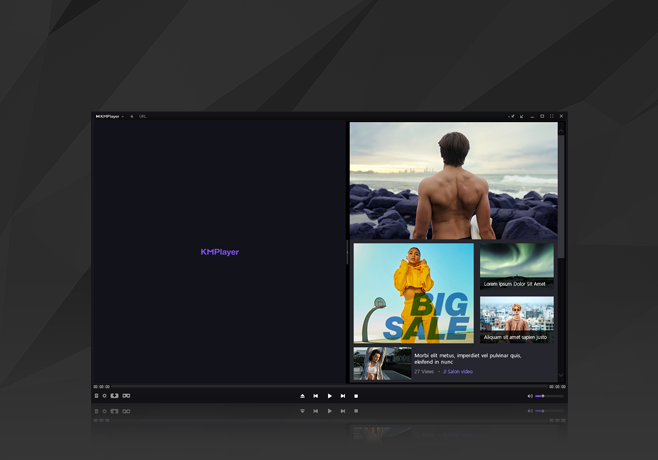
KMPlayer 64-bit multi-channel playback studio featuring direct video rendering and playlist manager.
1. Cinema-Grade Visual Fidelity
KMPlayer leverages cutting-edge rendering engines that analyze your display’s color gamut in real time. Even if your screen is a standard office monitor, the built-in color correction and sharpening algorithms draw out crisp detail from high-bitrate video files.
2. Precision Subtitle Synchronization
Subtitles that arrive half a second before or after the dialogue ruin immersion. KMPlayer includes hotkey-driven synchronization tools that allow you to adjust caption timing on the fly by 0.5-second increments, resize subtitles freely, and render dual language subtitles simultaneously.
3. Intelligent Sound Normalization
Have you ever watched an action movie where dialogue is whisper-quiet, but sound effects blow out your speakers? KMPlayer features an intelligent dynamic sound normalizer that balances whispered speech and explosive audio peaks for a comfortable listening experience without touching the volume dial.
Ready for a Smoother Playback Experience?
Enjoy uncompromised video and audio quality on your Windows desktop today.